2. Upgrade (upgrade) and Updates (update)
You can download updates for THOR with thor-util.exe
(Windows) or thor-util (Linux, macOS).
Note
THOR Util cannot update THOR binaries and signatures whose license was obtained through the ASGARD Management Center. Use the Management Center API for these updates. THOR Util only accepts the Nextron Customer Portal as a license source.
Running thor-util --help shows three options that seem to have a very
similar meaning: "upgrade", "update" and "download".
The "download" option downloads a full package including all configuration
files. The "upgrade" option fetches a full package but excludes
configuration files to avoid overwriting local files such as thor.yml
or falsepositive_filters.cfg.
The "update" option retrieves only the newest signature pack (not the program files).
Option |
Description |
|---|---|
upgrade |
Get new program files and signatures |
update |
Get new signatures |
download |
Get new program files, signatures, and configuration files |
If a full program package is already present, use the "upgrade" option.
Each option has its own help. You can view it with:
user@unix:~/thor$ ./thor-util *option* --help
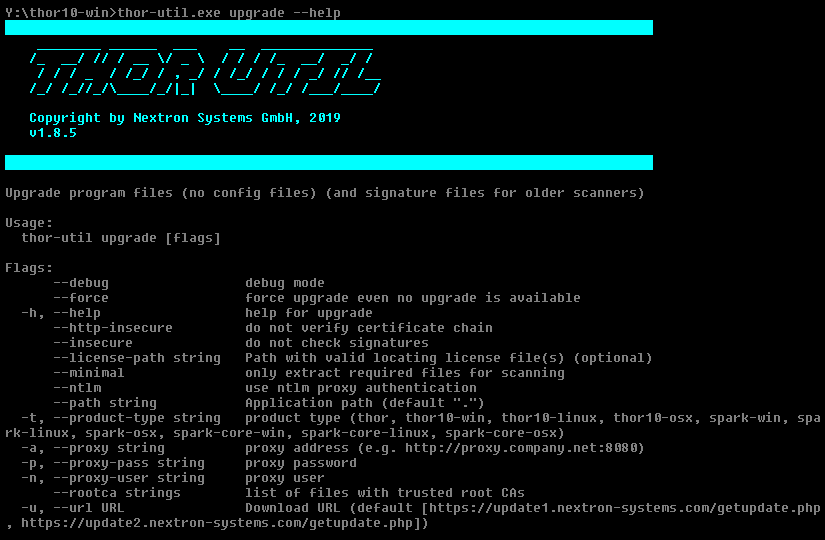
THOR-util Upgrade Help
The following examples show different upgrade methods:
C:\thor>thor-util.exe upgrade
C:\thor>thor-util.exe upgrade -a https://proxy.company.net:8080
C:\thor>thor-util.exe upgrade -a https://proxy.company.net:8080 -n dom\\user -p password
C:\thor>thor-util.exe upgrade -a https://proxy.local:8080 --ntlm -n dom\\user -p password
2.1. THOR TechPreview Version
To upgrade your current version to the TechPreview version, use this command:
C:\thor>thor-util.exe upgrade --techpreview
You can find more information on the TechPreview version here.
Hint
To make the TechPreview version persistent, consider adding it to your THOR Util
configuration file (thor-util.yml). Please see TechPreview configuration.
2.2. Update Locations
When using the full version of THOR, the following update mirrors must be accessible via HTTPS:
update1.nextron-systems.com
update2.nextron-systems.com
When using THOR Lite, the following server must be accessible:
update-lite.nextron-systems.com
Hint
For a detailed and up-to-date list of our update and licensing servers, please visit https://www.nextron-systems.com/hosts/.
2.3. SigDev Signatures
New signatures are usually validated for 1-2 days before they are published as stable. In rare cases, such as a newly discovered severe threat or public proof-of-concept code, you may want to use the latest SigDev signatures while they are still in validation.
To retrieve the latest SigDev signatures, use the thor-util.exe update --sigdev flag.
To reset the signature set to the latest stable version, use thor-util.exe update --force.
This retrieves the stable set and enforces the download even if the current set is newer.
2.4. Update Server Information
You can view information about the available update packages on this site:
https://update1.nextron-systems.com/info.php
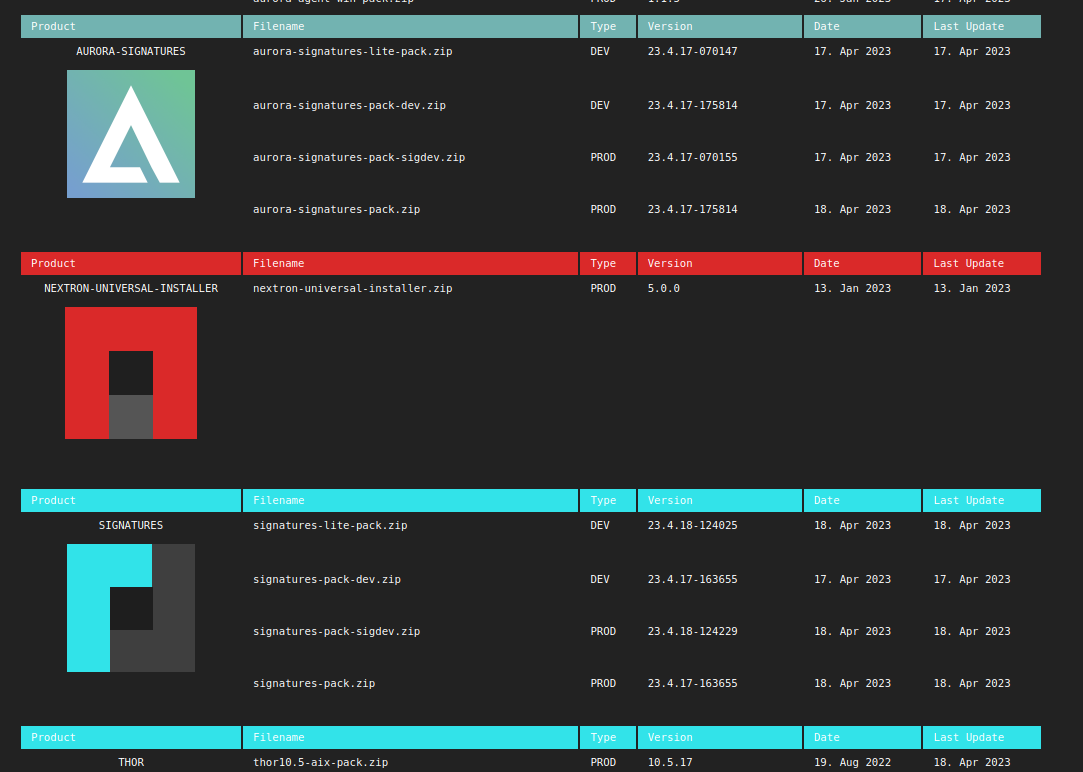
Update server information
2.5. Upgrading to a specific version
To upgrade to a specific THOR version, use the --version flag:
C:\thor>thor-util.exe upgrade --version 10.7.27
Hint
It is also possible to specify more complex expressions instead of a single version. The full syntax
is described here.
To e.g. upgrade to the latest THOR 10, you can use upgrade --version ^10.0.0.
When --version is used, --techpreview is ignored.